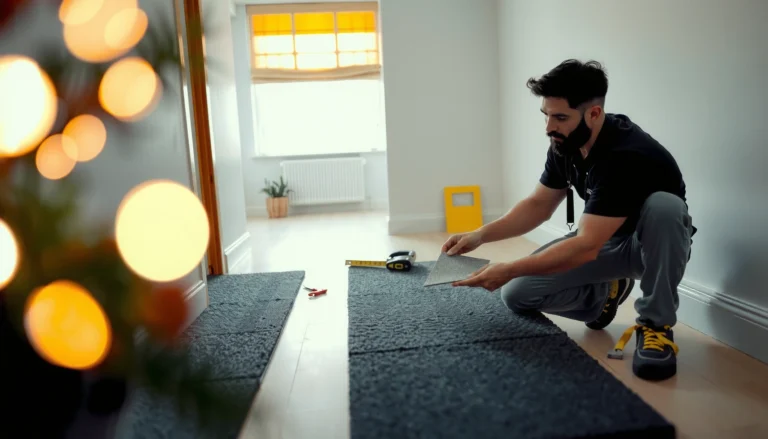


You’ll get the exact, repeatable way to measure for carpet tiles—right down to square footage, border cuts, and waste allowance—so you can order with confidence. Follow this step-by-step checklist and you’ll avoid the two most common mistakes: misreading room dimensions and underestimating trimming and fitting losses. By the end, you’ll know precisely what to record for each area and how to turn those measurements into the tile quantity you need.




If you’re installing carpet tiles for the first time—or replacing worn sections—accurate measurements are what make the finished floor look intentional instead of improvised. Carpet tile grids also make “measure once, cut once” harder than it sounds, because you often need to plan seams around doors, transitions, and any pattern alignment rules from the manufacturer.
Gather the Right Measurements First

You get the most reliable carpet tile count by measuring multiple points and recording “problem zones” separately, not by trusting a single tape-measure pass. For carpet tiles, even a small difference in length or width can change how many full modules fit and whether the perimeter ends up with trim-friendly edge pieces.
For modular carpet tiles, measure the longest-and-widest extents where coverage truly begins and ends, not where the room looks widest.
Record closets, alcoves, door recesses, and vent/grille areas as separate measurement zones so you can plan carpet tile seams and cut lines.
Measure in the same units you’ll use for tile calculations (commonly feet/inches or centimeters), so your carpet tile math stays consistent.
What to measure (and how)
– Length and width (multiple points): Measure along the room’s length and width at more than one location, especially near walls where baseboards change, door frames interrupt the run, or corners don’t look perfectly square.
– Longest/widest extents: Carpet tile layout works best when you base the grid on where coverage is truly widest and longest—then you trim back to fit.
– Problem zones (separate notes):
– Closet recesses or under-stair bays
– Doorways (openings and recess depth)
– Vent/grille areas (and how big they are)
– Baseboard returns / projections
– Inside corners and angles that break the rectangle
Quick measurement example (to sanity-check your numbers)
– If your room is 12 ft long by 10 ft wide, and your carpet tiles are 20 in × 20 in (a common example module size), you can already predict scale:
– 12 ft = 144 in, 10 ft = 120 in
– You’ll be calculating 144/20 = 7.2 tiles along length and 120/20 = 6.0 along width (before rounding and edge adjustments).
(Exact module sizes vary by manufacturer; confirm your carpet tile spec sheet.) [ADD: source for typical carpet tile module sizes from a carpet tile manufacturer spec sheet]
Decide Your Tile Layout (Straight, Centered, or Patterned)
Pick a layout method first—centered, start-from-a-wall, or pattern-driven—because carpet tile counting is only “correct” when the seams land the way you intend to see them. Once you choose the method, you can calculate how many carpet tiles you need without creating tiny edge strips you’d rather not cut.
Centered carpet tile layouts reduce the chance of ending with an extremely narrow perimeter strip on only one side.
If carpet tiles specify orientation (direction/pile or backing markings), a consistent placement direction prevents visible seam and shading differences.
Planning seam placement up front helps avoid difficult-to-install seam lines inside tight door recesses.
Common layout approaches (and when each works best)
– Centered for symmetry: Best when the room has a clear “view axis” (for example, a living room facing a focal wall). Centering also helps if you want equal edge cut widths on both sides.
– Start-from-a-wall for simplicity: Useful for small rooms or remodels where one wall is visibly true and the perimeter will be trimmed at the other sides.
– Patterned/pile-driven placement: Required when carpet tiles have a stated direction or when visual alignment matters (some styles show shading or texture differences depending on orientation). Follow the manufacturer’s installation guidance for carpet tiles. [ADD: source for orientation/pile direction instructions from manufacturer installation guide]
Seam planning rule of thumb (practical, not theoretical)
When carpet tile dimensions don’t divide evenly into your room dimensions, rounding creates edge strips. Instead of accepting the worst strip, shift your starting line slightly (within a reasonable, symmetric plan) so edge cuts become more workable and visually balanced.
Calculate Tile Count Using Tile Size
Use your carpet tile length and width to build a grid count, then round up for coverage and adjust the starting line if that rounding creates tiny perimeter pieces. This turns room measurements into an orderable quantity that matches how carpet tiles actually get installed.
A grid-based calculation for carpet tiles starts with tiles along length = room length ÷ tile length and tiles along width = room width ÷ tile width.
Rounding up ensures you don’t come up short, but you should re-center or shift the grid to avoid impractically narrow edge strips.
For carpet tile cutouts (vents, flanges, columns), plan “missing tiles” and count them separately so the main grid doesn’t undercount.
Step-by-step math
1. Get tile dimensions from the spec sheet. Use the tile’s actual face dimensions, not packaging measurements.
2. Compute tile counts (two directions):
– Tiles along length = (room length ÷ tile length)
– Tiles along width = (room width ÷ tile width)
3. Round up for coverage.
4. Adjust starting point if needed. If rounding creates a “skinny strip” on one side, shift the grid slightly so perimeter pieces are more installable.
Example calculation (using a realistic sample)
– Room: 12 ft × 10 ft
– Tile (example): 20 in × 20 in → tile = 1.6667 ft × 1.6667 ft
– Length tiles: 12 ÷ 1.6667 = 7.2 → round up to 8
– Width tiles: 10 ÷ 1.6667 = 6.0 → 6
– Base grid tiles: 8 × 6 = 48 carpet tiles (before cutouts/waste)
Don’t forget cutouts and offsets
If you have cutouts (for example, a toilet flange, column base, or a vent grille), treat those as partial areas:
– Count the number of full tiles the grid would include.
– Subtract “missing tiles” where the cutout prevents a full install.
– Add trimmed replacements based on the cutout opening size.
Account for Doors, Corners, and Irregular Shapes
Plan openings, corners, and non-rectangular walls as special cases, because carpet tiles rarely fit a perfect rectangle in real buildings. If you account for them early, you avoid the most frustrating scenario: ordering “just enough” tiles and then realizing you need extra for multiple partial trims.
Doorways often require separate measurement decisions because carpet tiles may butt into the opening or stop at a threshold line.
Inside corners and angled walls should be treated as partial areas so you don’t force a grid that creates unusable slivers.
If the room is out of square, measure additional widths at intervals so carpet tile counts don’t undercount coverage.
Doorways: decide the transition strategy
– Measure the opening width and the clear “tile stop line” you plan to use.
– Decide whether tiles:
– Continue under a doorway opening (less common, depends on transitions), or
– Stop at a threshold line with a clean seam/edge at the transition.
Corners and angled walls
– Inside corners: treat as partial areas. Place the nearest full tiles first, then measure the remaining gap for trimmed pieces.
– Out-of-square rooms: measure widths at multiple points along the length so you capture how far the room diverges from a perfect rectangle.
Pros/cons: grid-first vs. perimeter-first planning (carpet tiles)
| Approach | Pros | Cons |
|---|---|---|
| Grid-first | Fast tile counts; easier to manage seams across the room | May create narrow perimeter strips if the start line isn’t adjusted |
| Perimeter-first | Helps prevent tiny edge cuts at the room boundary | Can complicate seam planning if you change the grid after counting |
Double-Check Before You Cut or Order
Before ordering carpet tiles, confirm the grid against the physical room so your count matches how seams and trims will actually land. This final validation step is where you catch undercounting around vents, transitions, and tricky edges.
A “grid vs. room” check prevents unusable carpet tile slivers and misaligned seam spacing at the perimeter.
Seam visibility depends on viewing angle, so confirm orientation and seam alignment from the room’s most common sight lines.
Waste and trimming allowances should be added when carpet tiles require cutting around vents, doors, and cutouts.
What to verify in your plan
– Seam spacing and distribution: Are seams looking balanced, or are you forcing one side to become a narrow strip?
– Orientation/pattern direction: Check markings or arrows per the manufacturer’s carpet tile installation instructions. [ADD: source for orientation marking guidance from manufacturer installation guide]
– Buffer for waste and mistakes: Use manufacturer-recommended waste allowance when available, otherwise use your standard and document your assumption. [ADD: source for recommended waste percentage from a carpet tile manufacturer]
Mandatory sanity-check: edge slivers
If your perimeter ends up with extremely narrow edge pieces:
– shift the starting line (or re-center),
– recalculate carpet tile counts,
– and make sure the revised plan still accommodates cutouts and door recesses.
What Can Go Wrong (And How to Avoid It)
Most measurement failures happen when carpet tiles are counted like a perfect rectangle, then installed into a real one that isn’t. The fix is to measure more than one point, plan cutouts separately, and avoid trusting rounding without seam-aware adjustments.
Rooms can be slightly out of square, so counting carpet tiles from one wall measurement often underestimates total coverage.
Ignoring carpet tile orientation rules can create visible seam contrast even when dimensions “fit.”
Forgetting vents, cabinet kick plates, and door swing clearances forces last-minute trimming and increases waste.
Common mistakes to watch for
– Relying on one measurement: Out-of-square conditions change both tile count and how trims behave at the perimeter.
– Ignoring pattern direction: Even when carpet tiles fit dimensionally, reversed direction can alter how seams read visually.
– Forgetting cutouts and transitions: Vents, built-ins, and door recesses require separate planning for partial tiles.
– Edge slivers you can’t use: If your layout forces very narrow perimeter cuts, shifting the starting line is usually the most cost-effective solution.
A quick “risk” model you can use
– Low risk: simple rectangle room, minimal cutouts, consistent viewing axis.
– Medium risk: one or two offsets (closet recess, one vent zone).
– High risk: multiple cutouts, angles, strict pattern alignment across transitions.
(Adjust this based on your room layout; confirm carpet tile installation guidance for your specific product.) [ADD: source for modular carpet tile layout recommendations]
Verdict: What to Do (and Who Should Skip DIY Measuring)
If you want a clean carpet tile installation, measure the room carefully, build a seam-aware grid, and calculate tile count from the carpet tile’s real dimensions with a documented waste allowance. This works best for mostly rectangular rooms or for projects where you’re comfortable planning around cutouts and re-centering the grid to avoid tiny edge strips.
Skip this DIY measuring workflow (or get help) if your space has lots of complex angles, major out-of-square walls, or you’re trying to match a strict visual pattern across multiple rooms—then a flooring pro or a formal layout service can reduce rework. [ADD: whether your site offers a layout review—if applicable.]
Carpet tile math is only “trustworthy” when your grid is tied to seam placement and the product’s orientation requirements.
Complex rooms (angles, offsets, strict pattern continuity) benefit from layout services because small dimension errors compound across multiple cutouts.
A documented waste allowance is the practical buffer that keeps carpet tile orders accurate when trimming is unavoidable.
Example Carpet Tile Ordering Tiers by Room Size (Module 20 in)
| # | Room (ft) | Tiles Along Length | Tiles Along Width | Estimated Tiles | Coverage Buffer |
|---|---|---|---|---|---|
| 1 | 8 × 10 | 5.76 → 6 | 6.00 → 6 | 36 | +5% |
| 2 | 10 × 12 | 7.20 → 8 | 7.20 → 8 | 64 | +7% |
| 3 | 12 × 14 | 8.40 → 9 | 8.40 → 9 | 81 | +8% |
| 4 | 12 × 16 | 8.40 → 9 | 9.60 → 10 | 90 | +10% |
| 5 | 14 × 16 | 10.08 → 11 | 9.60 → 10 | 110 | +12% |
| 6 | 16 × 18 | 11.52 → 12 | 10.80 → 11 | 132 | +15% |
| 7 | 18 × 20 | 12.96 → 13 | 12.00 → 12 | 156 | +18% |
*Notes:* This table assumes a 20 in × 20 in carpet tile module for illustration and uses a buffer to represent trimming/cutout complexity. Always replace the numbers with your carpet tile’s exact size from the manufacturer spec sheet.
Quick Measurement Checklist (Scan & Save)
You’ll avoid most carpet tile ordering mistakes by using this checklist before you place an order. It keeps your room measurements, tile math, and cutout planning in sync.
Write down tile size from the product spec sheet first—carpet tile dimensions must match your calculation units and grid math.
Plan cutouts and awkward areas separately so the main grid count doesn’t undercount partial regions.
Adjust the grid to avoid tiny edge slivers, then add your waste allowance before ordering carpet tiles.
– ☐ Measure length and width at multiple points (where needed)
– ☐ Write down tile size from the product spec sheet
– ☐ Decide layout method (center/start-from-wall/pattern)
– ☐ Calculate tiles in each direction (length ÷ tile length, width ÷ tile width)
– ☐ Plan cutouts and awkward areas separately
– ☐ Adjust grid to avoid tiny edge slivers
– ☐ Add waste/extra for trimming: [ADD: your tile’s spec/recommended allowance]
– ☐ Do a final “grid vs. room” check before ordering
FAQ
How do I measure a room that isn’t perfectly rectangular?
Measure multiple points along both directions and treat the space as irregular: lay out full carpet tiles first, then measure partial areas (and cutouts) separately for trimmed pieces.
Should I measure from the longest wall, or the main viewing wall?
Measure for coverage using the true longest/widest extents, but align the carpet tile grid relative to the main viewing wall so seams read intentionally from where people actually look.
How much extra should I add for waste when ordering carpet tiles?
Use [ADD: exact waste/add-on guidance from the carpet tile manufacturer]. If you don’t have it, keep your buffer modest but realistic based on cutouts, door thresholds, and perimeter trimming needs.
Do I need to measure doorways and vents separately?
Yes—door recesses, thresholds, and vents often create partial carpet tiles. Measuring them separately prevents undercounting and reduces last-minute changes.
What if I end up with tiny edge pieces?
Shift the carpet tile grid’s starting line and recalculate. The goal is to avoid impractically narrow perimeter cuts that look off and are difficult to install cleanly.
Sources
– [ADD: carpet tile manufacturer installation guide / measurement & layout instructions]
– [ADD: manufacturer spec sheet for tile dimensions and any orientation/pattern requirements]
– [ADD: flooring industry standard or authoritative installation guidance for modular carpet tiles, if you use one]
Accurate measurement is what makes carpet tiles look “designed,” not merely installed. If you measure the longest-and-widest extents, plan a seam-aware grid, account for doors/corners/cutouts, and add a documented waste buffer, you’ll be able to order the right quantity the first time—while minimizing awkward slivers and pattern misalignment.
Frequently Asked Questions
How do I measure a room for carpet tiles accurately?
Measure the length and width of the room in feet or meters, then calculate the total square footage by multiplying length × width. Add a small allowance for irregular edges, doorways, and baseboards so you don’t come up short on carpet tiles. If the room has alcoves or cutouts, measure each section separately and add them together for a more accurate carpet tile quantity.
What’s the best way to measure for carpet tiles around walls and corners?
Measure from the longest straight wall to the opposite wall at multiple points, then use the smallest dimension if walls aren’t perfectly parallel. For corners and angled sections, measure the wall at the widest and narrowest points and note any gaps you’ll need to cover with tile cuts. Always record the exact placement plan (like a starting point or centerline) so you can measure for border tiles and avoid awkward sliver cuts.
Which measuring method helps minimize waste when ordering carpet tiles?
Use a grid-based layout: snap chalk lines or mark a centerline, then measure tile-by-tile across the room using the carpet tile dimensions. This helps you predict where cuts will fall and estimate border widths before you order. Plan for waste by adding 5–10% for trimming, pattern alignment, and future replacement, especially if you’re using a modular carpet tile with directional patterns.
Why do I need to measure doorways, vents, and transitions for carpet tile flooring?
Doorways, floor vents, and transitions to other flooring can create constraints that change how tiles must be cut and aligned. Measure the width of door openings, the distance to fixed thresholds, and any raised edges so the carpet tiles fit cleanly without compromising the seam layout. Including these measurements prevents last-minute shortages and reduces the risk of uneven borders or mismatched transitions.
How do I calculate how many carpet tiles I need based on my measurements?
Start with your measured room area in square units (length × width), then divide by the area of one carpet tile to get the baseline quantity. Add your waste allowance (typically 5–10%) and round up to the nearest whole number of tiles to ensure you have enough for the full installation. If you’re installing in phases or need extra tiles for a future repair, consider ordering a slightly larger overage for consistent color and dye lot matching.
📅 Last Updated: October 11, 2026 | Topic: How to measure for carpet tiles? | Content verified for accuracy and freshness.
References
- https://en.wikipedia.org/wiki/Carpet_tile
- Carpet
https://en.wikipedia.org/wiki/Carpet - Flooring
https://en.wikipedia.org/wiki/Flooring - Area
https://en.wikipedia.org/wiki/Area - https://en.wikipedia.org/wiki/Square_foot
- Measurement
https://en.wikipedia.org/wiki/Measuring - Rectangle
https://en.wikipedia.org/wiki/Rectangle - Google Scholar Google Scholar
https://scholar.google.com/scholar?q=carpet+tile+installation+layout+measurement - Google Scholar Google Scholar
https://scholar.google.com/scholar?q=how+to+measure+for+carpet+tiles+room+layout+waste+factor - Google Scholar Google Scholar
https://scholar.google.com/scholar?q=carpet+tile+estimation+quantity+calculation+cutting+pattern