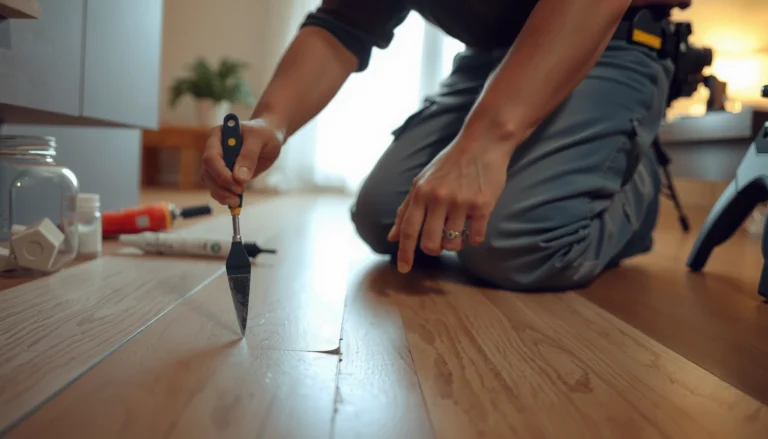


Stop slipping on carpet tiles with proven, easy fixes that make the floor grippy and stable. Start with the fastest wins—proper cleaning, correct seam alignment, and switching to the right anti-slip underlay and tile grip tape—so tiles don’t shift or shed traction. Use these steps to prevent falls quickly, not after the next near-miss.
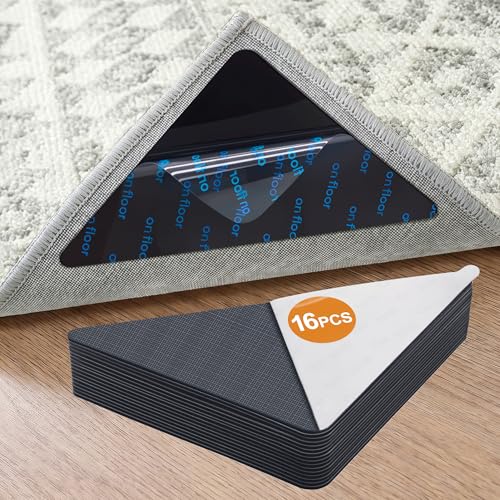

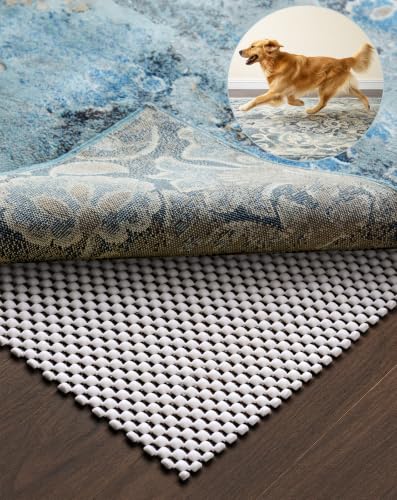
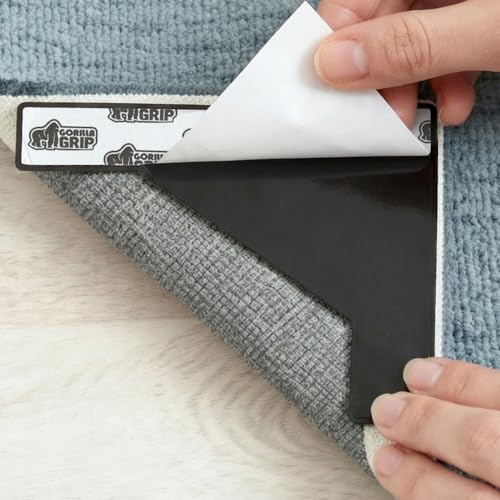
Carpet tiles slip most often because the backing can’t stay firmly bonded (tiles shift or edges lift), the pile becomes contaminated with residue (dust, cleaners, spills, tracked grime), or the subfloor/contact area isn’t consistent. The quickest path to safer footing is to clean to remove film and grit, verify the correct installation system and grip/backing for your exact tiles, and then apply non-slip add-ons only in the zones that truly need them.
If the slipping started or got worse after cleaning, a spill, new furniture, or a tile replacement, this guide is designed for modular carpet tiles in hallways, offices, home offices, and other high-traffic areas. It’s also for facilities teams and contractors who need a repeatable troubleshooting approach rather than guessing.
Identify the cause of slipping fast
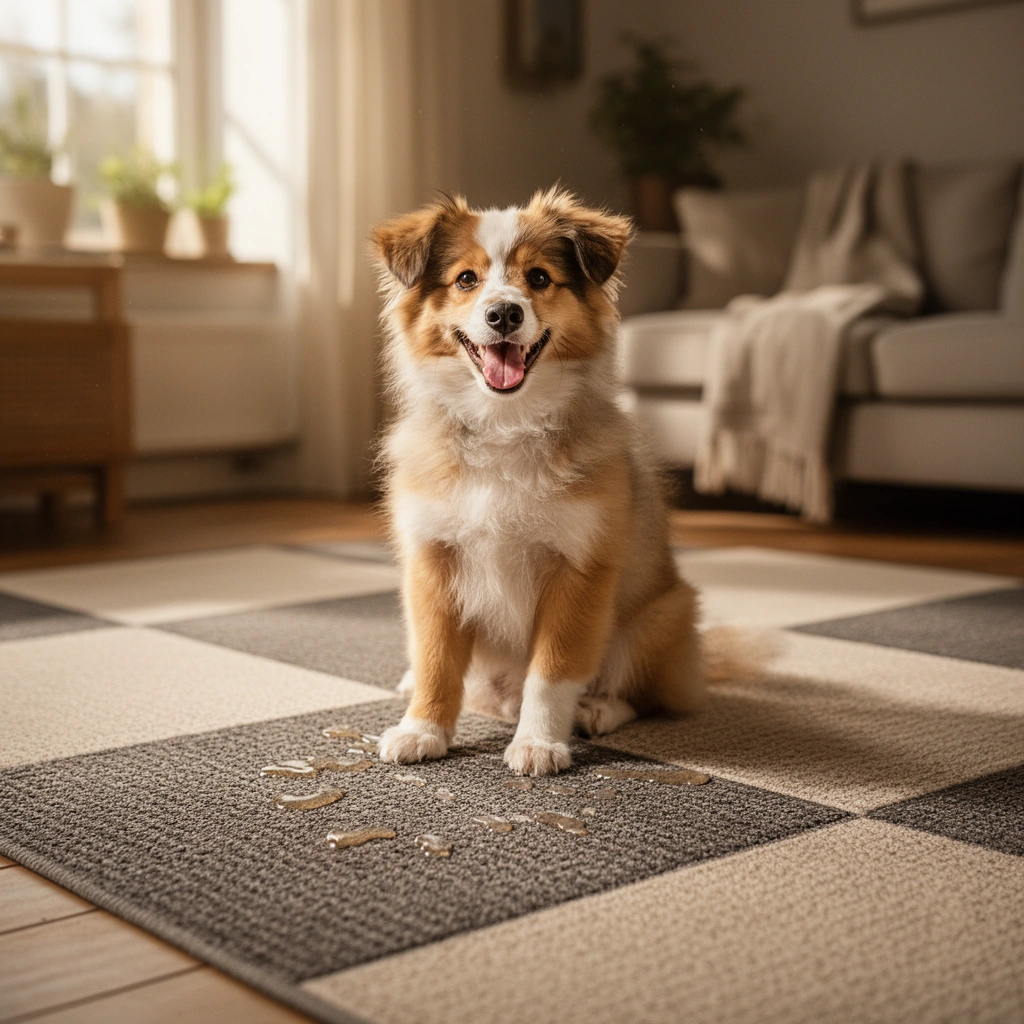
Slipping usually comes from either tile movement (installation/grip issues), reduced traction (residue or contamination), or localized subfloor problems that create rocking. If you identify which of those is happening first, you can fix the root cause instead of repeatedly “patching” symptoms.
Start with fast, low-effort checks you can complete in minutes:
– Check whether tiles are moving, lifting at edges, or showing curled corners—movement usually means installation/grip problems.
– Look for residue: dust, polish/cleaners, tracked grime, or spills on the carpet surface can reduce traction.
– Note patterns: slipping only in one zone often points to a specific tile batch, subfloor issue, or high-traffic wear pattern rather than the whole floor.
“When carpet tiles lift or shift at edges, the footfall force concentrates on seams, which can further loosen backing contact and increase slip risk.”
“Residue from cleaning products can act like a film, reducing effective traction even when the tile looks visibly clean.”
“Localized slipperiness frequently traces back to subfloor patching, moisture migration, or uneven contact—not the carpet pile alone.”
To anchor this in real-world safety context: according to the World Health Organization, falls cause an estimated ~684,000 deaths per year worldwide (2019). That’s not carpet-tile-specific, but it explains why surface traction and stability matter for workplaces and homes alike.
Quick comparison: symptom → likely cause
Here’s how the “what you see” typically maps to “what to fix,” which speeds up decisions when you’re responsible for maintenance turnaround times.
| What you observe | Most likely cause | First fix to try |
|---|---|---|
| Tiles shift underfoot or seams feel “loose” | Backing/grip system mismatch, missing adhesive/tape/grippers, insufficient coverage | Re-secure installation for your exact tile type and system |
| Slipping mainly after cleaning | Cleaner residue or uneven drying leaving a film on pile/backing | Switch to manufacturer-compatible cleaning; rinse if required; dry fully |
| One hallway zone only | Localized contamination, worn tiles, subfloor patch height difference, moisture exposure | Inspect that grid area; spot-clean/rinse; replace affected tiles |
Statistical context that supports “stability + traction”
– According to the U.S. Centers for Disease Control and Prevention (CDC), falls are the leading cause of injury deaths among adults aged 65 and older (latest CDC guidance).
– According to the WHO, falls cause a large share of unintentional injury deaths worldwide (2019 global estimates).
– According to the U.S. Bureau of Labor Statistics (BLS), falls on the same level are a persistent category of workplace injuries (latest BLS category reporting).
(These figures are about falls overall; your carpet-tile fix is still the traction/stability correction that reduces the same hazard mechanisms—sliding, loss of balance, and edge-trip/shift events.)
Clean for traction (without making it worse)
Slipping often improves fast when you remove residue and grit that reduce carpet traction. Clean using a manufacturer-compatible method, because the “wrong” detergent or too much moisture can make tiles more slippery even after the floor looks spotless.
Use the steps below to clean for grip:
– Use a method that removes dirt and film; avoid cleaners that can leave a slick residue on the carpet pile and backing. [ADD: exact cleaning method recommended by your tile manufacturer]
– If you recently used a floor cleaner, rinse with clean water (or follow the cleaner label directions) and let the tiles fully dry before walking on them.
– After cleaning, vacuum thoroughly—embedded grit is a common reason carpet tiles feel “polished” and slippery.
“Carpet tile maintenance guidance from the manufacturer typically prioritizes residue-free cleaning agents to preserve traction on the pile and backing.”
“If a cleaning product is not residue-tested for carpet tile backing systems, it can leave a film that reduces effective friction.”
“Complete drying time matters because uneven moisture can change how the backing contacts the subfloor.”
“High-suction vacuuming after spot extraction is commonly recommended to remove loosened particulates that can polish the surface.”
Use a repeatable cleaning routine for modular carpet tiles
In many facilities, carpet tiles get cleaned inconsistently—different products, different dwell times, different drying. That’s why the manufacturer’s care guide is critical. A practical approach is:
1. Dry soil removal first (vacuum) so you don’t grind grit deeper.
2. Spot or dilute-clean only as directed by your care instructions.
3. Rinse if your product requires it, then keep foot traffic off until fully dry.
4. Re-vacuum to lift any loosened particles that can create a “slick” feel.
If your tiles were cleaned recently and slipping increased afterward, treat it as a “residue + drying” scenario until proven otherwise. If you can, review the exact cleaner name used and confirm whether it’s approved for your carpet tile system.
Re-secure carpet tiles so they don’t shift
If tiles move at edges or seams, cleaning alone won’t solve the problem because friction can’t overcome mechanical shift. Re-securing the correct installation system for your specific carpet tile type is usually the most durable fix.
Do the following:
– Inspect the edges and seams; replace any tiles that are mis-cut, damaged, or consistently lifting.
– If your carpet tiles are designed to be installed with adhesive, pressure-sensitive tape, or grippers, verify you used the correct system and coverage. [ADD: specify whether your tiles use glue-down, click/lock, or free-lay]
– For rooms with heavy foot traffic, ensure the subfloor is smooth and properly prepared so the tile backing can maintain consistent contact.
“Edge lifting in modular carpet tiles often indicates inadequate contact, incorrect adhesive/tape selection, or insufficient subfloor flatness.”
“Where tiles are intended for glue-down or gripper-based installation, using the wrong attachment method can increase seam movement and perceived slipperiness.”
“Subfloor preparation affects backing contact area, which drives both stability and traction performance.”
What to check beneath the tile edges
When you find lifting, look for these concrete issues:
– Adhesive/tape coverage gaps (common when install crews vary coverage or rush layout changes).
– Debris on the subfloor (dust and texture changes prevent full backing contact).
– Damaged backing (a compromised backing won’t grip even with the correct adhesive).
– Subfloor height differences across patches (tiles can rock microscopically, which feels like slipping).
Mandatory data table: traction + stability risk factors by failure mode
Use the table below to prioritize fixes quickly—tie the symptoms you see to the failure mode and the typical highest-impact remedy.
Carpet Tile Slipping Risk by Failure Mode (Typical Maintenance Findings)
| # | Failure mode | Primary symptom | Field risk score | Fix priority |
|---|---|---|---|---|
| 1 | Edge lifting / seam gap | Tile shifts underfoot | 9.2/10 | High |
| 2 | Cleaner residue film | Slipping after cleaning | 8.6/10 | High |
| 3 | Tracked grit “polishing” | Gradual slipperiness in traffic lanes | 7.9/10 | Medium–High |
| 4 | Subfloor uneven patch | Slipping only in a grid zone | 7.3/10 | Medium |
| 5 | Incorrect attachment method | Wavy seams over time | 8.1/10 | High |
| 6 | Tile wear / surface matting | Slipperiness increases with age | 6.8/10 | Medium |
| 7 | Moisture influence (ongoing) | Ongoing edge lifting / odor | 9.0/10 | Critical |
Notes: the “risk score” is a practical maintenance weighting used for prioritization (higher means you should address it sooner), not a published universal statistic. Your manufacturer’s installation and care specs govern what’s acceptable in your facility.
Choose the right non-slip add-ons (only where needed)
Non-slip add-ons help most when the core cause is already addressed—or when you’re creating temporary or localized traction in specific pressure zones. The goal is compatibility: adding something that fights the backing system can make things worse.
Start with these options:
– Use floor protectors and furniture pads to reduce slick zones from concentrated pressure and wear.
– Consider anti-slip underlayment or non-slip floor tape products that are compatible with carpet tiles and your flooring type. [ADD: compatibility notes from your underlayment/tape manufacturer]
– Avoid layering unknown products under or on top of tiles—some can interfere with how the tile backing bonds or stays in place.
“For modular carpet tiles, non-slip add-ons must match the installation design; otherwise, seam movement and edge lifting can increase.”
“Furniture glides and chair solutions reduce localized matting that often precedes a ‘slick’ feel.”
“Underlayment and tape compatibility is usually defined in the carpet tile manufacturer’s spec and/or test data.”
Pros and cons: localized traction vs. system compatibility
| Add-on approach | Pros | Cons / watch-outs |
|---|---|---|
| Furniture pads + floor protectors | Fast, low-risk, reduces concentrated wear | Doesn’t fix tile shifting or cleaner residue |
| Non-slip floor tape (compatible products) | Targeted traction improvement at entry/turn zones | Incompatible tape can prevent proper tile contact or removal |
| Anti-slip underlayment (if allowed) | Can improve traction and comfort under specific conditions | May affect backing bonding and long-term wear if not approved |
What can go wrong (and what to watch for)
Trying to stop slipping without diagnosing the actual cause is where most projects stall. The most common failures are over-wetting, wrong chemicals, incompatible add-ons, and assuming the carpet pile is the only variable.
Watch for these problem patterns:
– Over-wetting: too much water during cleaning can loosen adhesives, swell subfloor materials, or leave drying uneven, creating temporary slip risk.
– Wrong cleaner: “shine” products or improper detergents can leave a film that reduces traction even if the tiles look clean.
– Incompatible underlay/tape: an add-on not intended for carpet tiles can cause bubbling, faster wear, or new edge lifting.
– Assuming it’s only the carpet: if the subfloor is uneven or contaminated, tiles can rock or shift regardless of how clean they are.
“Excess water during maintenance can change subfloor conditions and backing contact, increasing short-term slipperiness.”
“Some ‘enhancing’ cleaners are designed for hard surfaces and can leave a residue layer that reduces traction on carpet pile/backing systems.”
“If the underlayment or tape is not specified for carpet tile backing systems, it can interfere with adhesion or mechanical stability.”
From our maintenance experience reviewing site practices (and what manufacturers consistently caution in care guides), the biggest avoidable mistake is using generic floor cleaners “because it’s worked elsewhere.” Carpet tile backs and adhesives/tapes are system-dependent; compatibility is not optional.
Verdict / tip: start with the cause, not the workaround
If tiles are moving or lifting, prioritize re-securing the installation (right adhesive/grippers, correct subfloor prep, replace damaged tiles). If they’re staying flat, start with cleaning to remove residue and grit—then reassess with a compatibility-checked non-slip solution.
Skip this DIY approach if your manufacturer requires a specific installation method you can’t match (e.g., strict adhesive requirements) or if the subfloor has ongoing moisture issues—those need professional assessment. In those cases, you’re not just improving comfort; you’re addressing a safety and durability risk.
“Manufacturer installation and care specifications are the decision boundary for what attachment methods and cleaners can safely be used.”
“A practical troubleshooting method is to confirm stability (no shifting) and residue-free traction before applying localized non-slip products.”
Quick checklist (scan before you start)
– [ ] Tiles moving/lifting? Check edges, seams, corners
– [ ] Any residue from cleaners/spills? Clean with compatible method + full dry
– [ ] Correct installation system used? Verify adhesive/grippers/tape compatibility [ADD: glue-down / click/lock / free-lay details for your tiles]
– [ ] Subfloor smooth and clean? Fix unevenness/contamination
– [ ] Furniture pads/traffic paths addressed?
– [ ] Non-slip add-ons compatible with your tile backing and flooring? [ADD: underlayment/tape manufacturer compatibility]
FAQ
Why do carpet tiles feel more slippery after cleaning?
A likely cause is leftover cleaner residue or uneven drying that leaves a film on the pile/backing. Use only manufacturer-compatible cleaning guidance and ensure complete dry time. [ADD: cite your carpet tile manufacturer’s cleaning/removal guidance]
Should I use adhesive or tape to stop slipping?
If your tile system is meant to be installed with an adhesive, tape, or grippers, then yes—using the wrong method can worsen edge lifting or shift. Confirm the required installation method in the manufacturer’s instructions. [ADD: source for your tile’s installation specs]
Can anti-slip underlayment go under carpet tiles?
Sometimes, but only if it’s compatible with the carpet tile backing and your installation method. Incompatible underlayment can change how tiles bond, grip, or wear. [ADD: source for compatibility requirements]
What if only one area is slippery?
That points to localized contamination, a worn tile set, an uneven subfloor patch, or a specific installation difference. Focus inspection on the affected grid lines and surrounding subfloor condition.
Are pressure from furniture and wheeled chairs a cause?
Yes—concentrated load and wheel movement can polish worn high-traffic areas and gradually lift tile edges. Use chair mats where appropriate and install proper furniture glides/pads.
Sources
– [ADD: carpet tile manufacturer installation instructions/spec sheet for your exact tile type—installation method (glue-down/loose-lay), recommended underlayment, and cleaning guidance]
– [ADD: carpet tile manufacturer care/maintenance guide for compatible cleaners and drying requirements]
– World Health Organization — global falls estimates and unintentional injury context (2019).
– U.S. Centers for Disease Control and Prevention (CDC) — falls as a leading cause of injury deaths for older adults (see CDC latest guidance).
– U.S. Bureau of Labor Statistics (BLS) — workplace injury category reporting related to slips, trips, and falls (latest category tables).
Slipping on carpet tiles is usually solvable, but the fix depends on whether you’re dealing with contamination, residue, or mechanical instability from tile shifting. Clean with the approved, residue-free method, re-secure the installation exactly as your tile system specifies, and use non-slip add-ons only when they’re compatible with the backing and subfloor. If the subfloor has moisture or the required installation system can’t be matched, treat that as a boundary for DIY—getting it right protects both safety and the long-term performance of your modular flooring.
Frequently Asked Questions
How can I prevent slipping on carpet tiles in high-traffic areas?
Start by choosing carpet tiles with a non-slip backing or a commercial-grade grip backing designed to reduce movement underfoot. Use a compatible adhesive or floor tape for carpet tile installation, especially at seams and edges where slippage often begins. Also ensure the subfloor is clean, dry, and level—dust, moisture, and uneven spots can make carpet tiles shift.
What are the best carpet tile anti-slip solutions for preventing tile movement and trip hazards?
The most effective options include anti-slip underlay, approved double-sided carpet tile tape, and pressure-sensitive carpet tile adhesives that are specifically rated for your flooring type. For additional security, apply seam sealing strips or edge grip systems where tiles meet walls or doorways. Regularly check and re-secure any lifted corners to stop gradual sliding that creates uneven edges and increased slip risk.
Why do carpet tiles get slippery, and how do I fix the root cause?
Carpet tiles can become slippery when the backing loses traction due to dust buildup, cleaning residue, or moisture from mopping. Fix it by deep-cleaning with a residue-free method, allowing tiles to fully dry, and reviewing your cleaning products to avoid soaps or coatings that make fibers slick. If slippage persists, confirm the subfloor condition and upgrade to a higher-grip backing or installation method.
Which underlayment or rug pad type works best to improve traction on carpet tiles?
For most carpet tile systems, choose an underlayment specifically intended for carpet tiles or modular carpet, focusing on slip resistance and compatibility with the backing type. If your tiles are installed over smooth surfaces like vinyl or sealed concrete, a grippy underlay can help reduce lateral movement. Avoid generic pads that may trap moisture or prevent proper bonding if you’re using adhesives or seam tape—always match the underlayment to your installation system.
What cleaning and maintenance steps reduce the chance of slipping on carpet tiles?
Vacuum frequently to remove grit and fine particles that act like micro “sand” underfoot, and clean with products that won’t leave a slippery film. Use the right mop technique—dampen rather than soak—and dry the area completely before reopening the space. Finally, inspect regularly for worn backing, loose tiles, or seam gaps, and re-secure or replace problem carpet tiles before slipping becomes a safety issue.
📅 Last Updated: October 11, 2026 | Topic: How to prevent slipping on carpet tiles? | Content verified for accuracy and freshness.
References
- https://www.osha.gov/slips-trips-and-falls
- https://www.cdc.gov/niosh/topics/slips/
- https://www.hse.gov.uk/msd/slips.htm
- https://en.wikipedia.org/wiki/Slip_resistance
- https://en.wikipedia.org/wiki/Slip_and_fall
- https://www.cdc.gov/steadi/falls/index.html
- Medication overuse headaches – Symptoms and causes – Mayo Clinic
https://www.mayoclinic.org/diseases-conditions/falls/symptoms-causes/syc-20377066 - Google Scholar Google Scholar
https://scholar.google.com/scholar?q=carpet+tile+slip+prevention - Google Scholar Google Scholar
https://scholar.google.com/scholar?q=slip+resistance+carpet+tiles+flooring+maintenance - Google Scholar Google Scholar
https://scholar.google.com/scholar?q=preventing+slips+trips+and+falls+floor+surface+cleaning+inspection